How do I add F1Laps to my phone's home screen?
F1Laps is fully optimized for mobile - you can add it to your home screen for app-like access.
Our entire website is 100% optimized for mobile usage. While we don't have a dedicated native app for browsing your data, you can add F1Laps to your home screen for a native app-like experience.
Two Options: Homepage vs Dashboard
You can install F1Laps from two different pages, and each gives you a different starting point:
- Install from homepage (f1laps.com) - Opens to the public homepage when launched. Good for quick access to F1 news and general info.
- Install from dashboard (f1laps.com/dashboard) - Opens directly to your dashboard when launched. Best for quick access to your telemetry data.
Tip: For the fastest access to your F1 game data, install from your dashboard page.
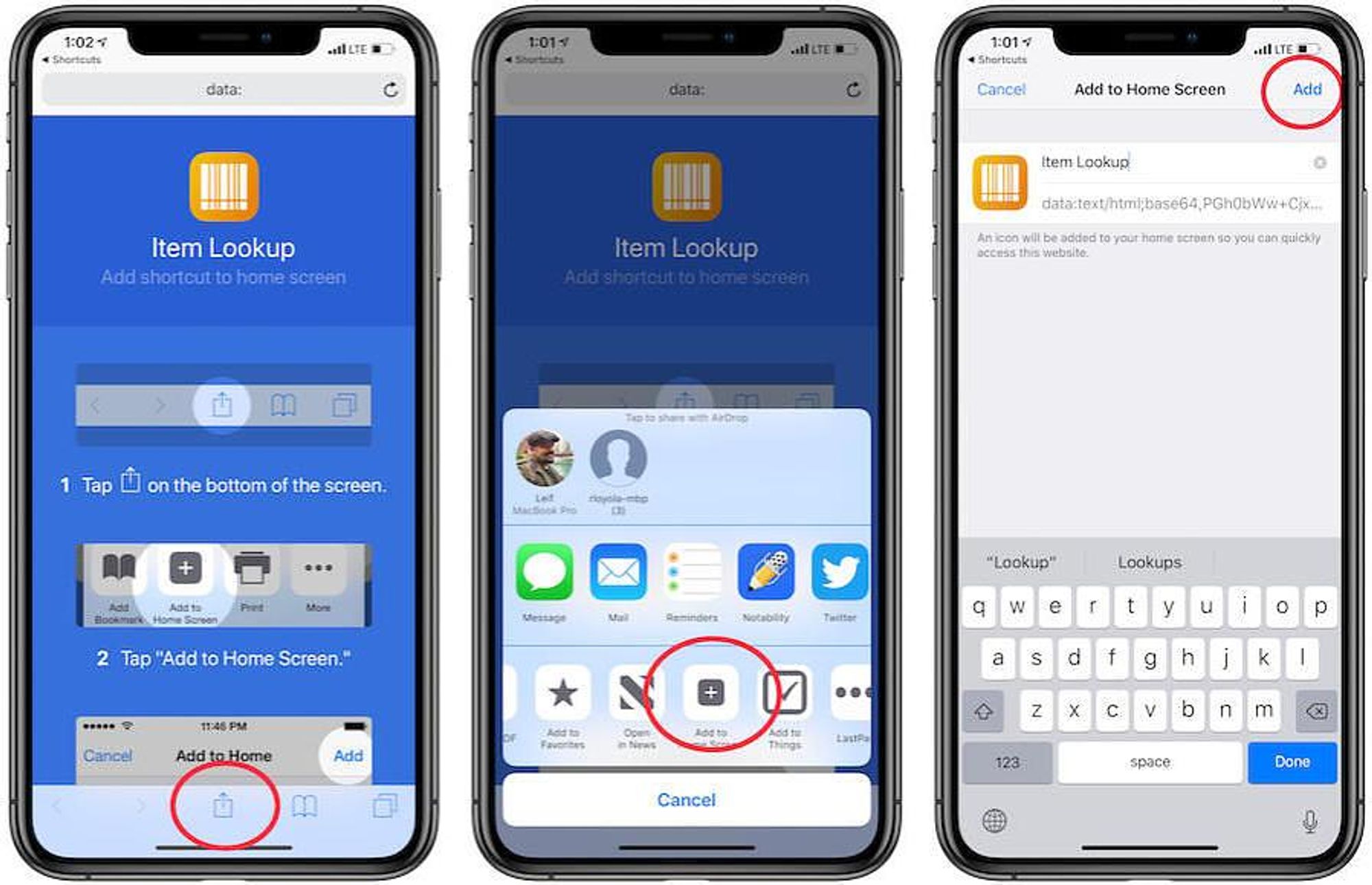
iPhone / iPad (Safari)
- Open Safari and go to your F1Laps dashboard
- Tap the Share button (square with arrow pointing up)
- Scroll down and tap Add to Home Screen
- Tap Add to confirm
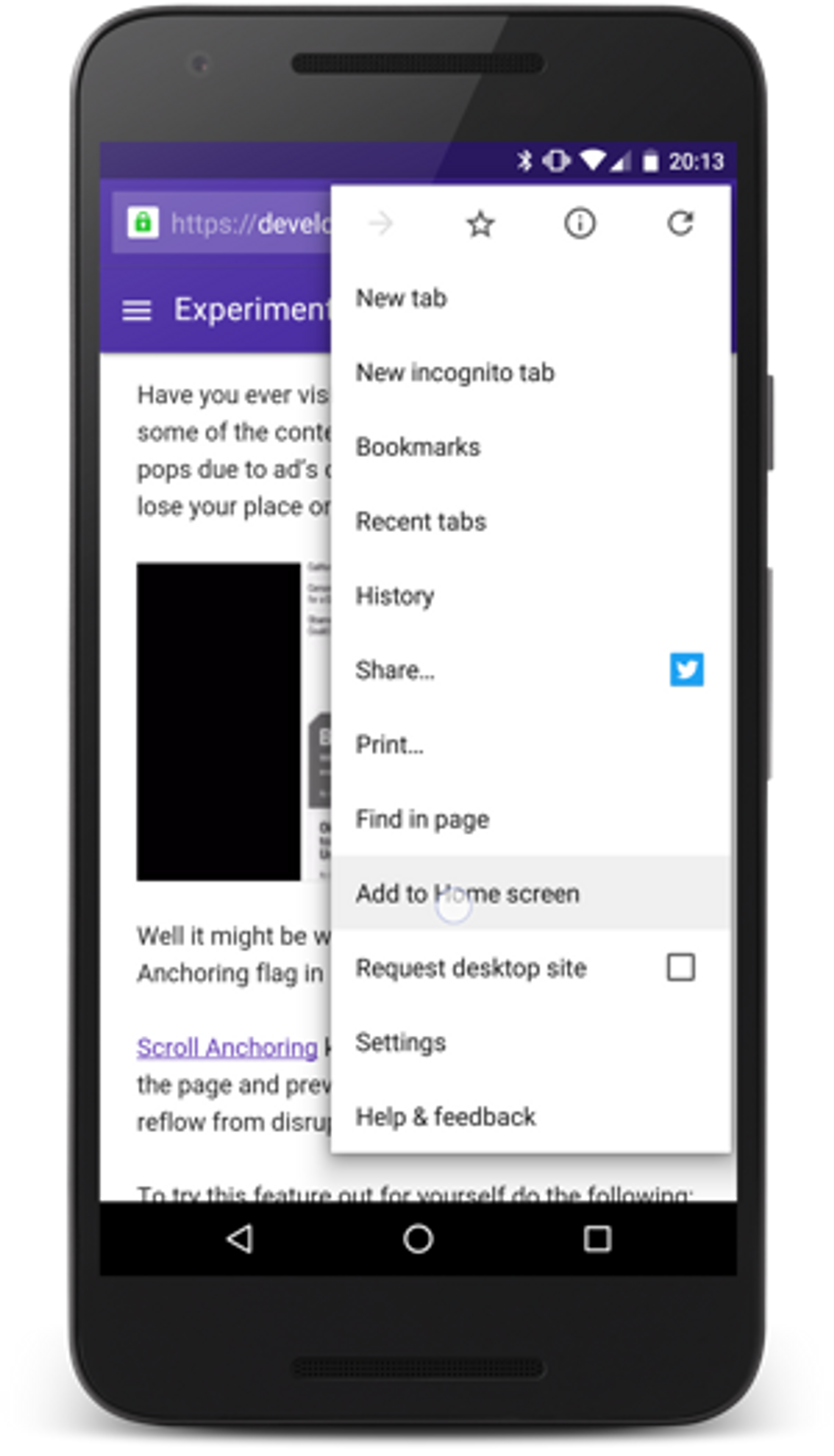
Android (Chrome)
- Open Chrome and go to your F1Laps dashboard
- Tap the three-dot menu in the top right
- Tap Add to Home Screen or Install App
- Tap Add to confirm
Why Add to Home Screen?
- One-tap access to your dashboard and data
- Full-screen experience without browser address bars
- Works like a native app with smooth performance
- No app store download required - saves storage space
- Always up-to-date - no need to update an app